How to Print Crossword Puzzles from Grid Genius
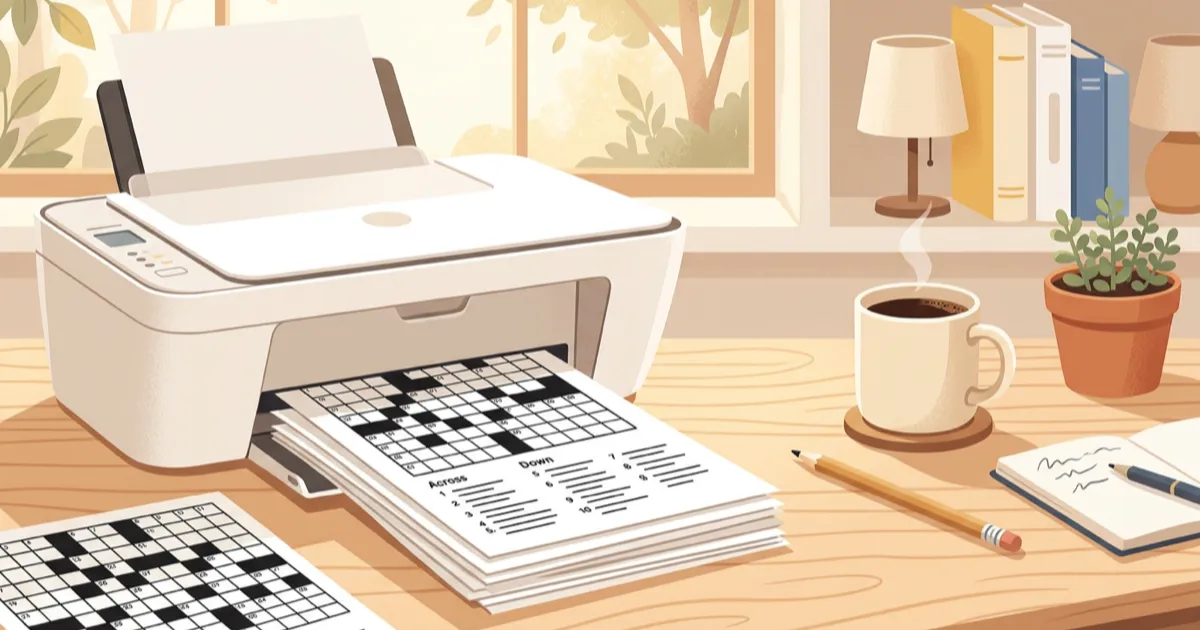
Sometimes you just want a crossword on paper. Maybe you're heading on a flight, setting up a classroom activity, or you prefer solving with a pencil. Grid Genius now lets you export any puzzle as a clean, newspaper-style PDF.
Why Print a Crossword?
- Offline solving — no Wi-Fi needed on planes, trains, or coffee shops
- Classrooms & events — print copies for students, team-building, or parties
- Share with friends — hand someone a puzzle without them needing an account
- The pencil-and-paper feel — some solvers just prefer it
How to Export a PDF
It takes two taps from any puzzle screen:
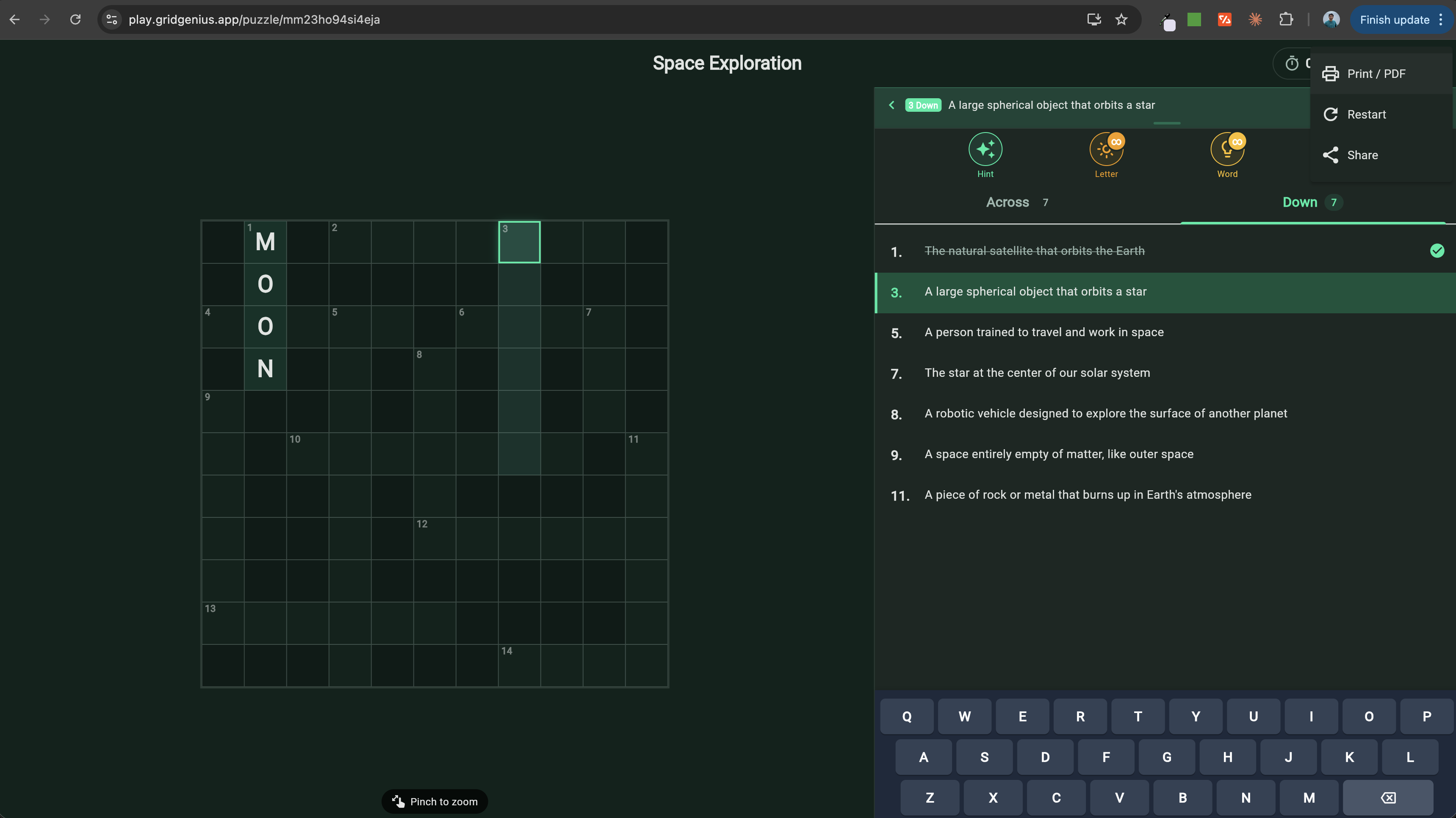
Step 1: Open the Overflow Menu
While viewing a puzzle, tap the three-dot menu (top-right corner of the puzzle screen). You'll see the "Print / PDF" option right there in the dropdown.
Step 2: Preview and Print
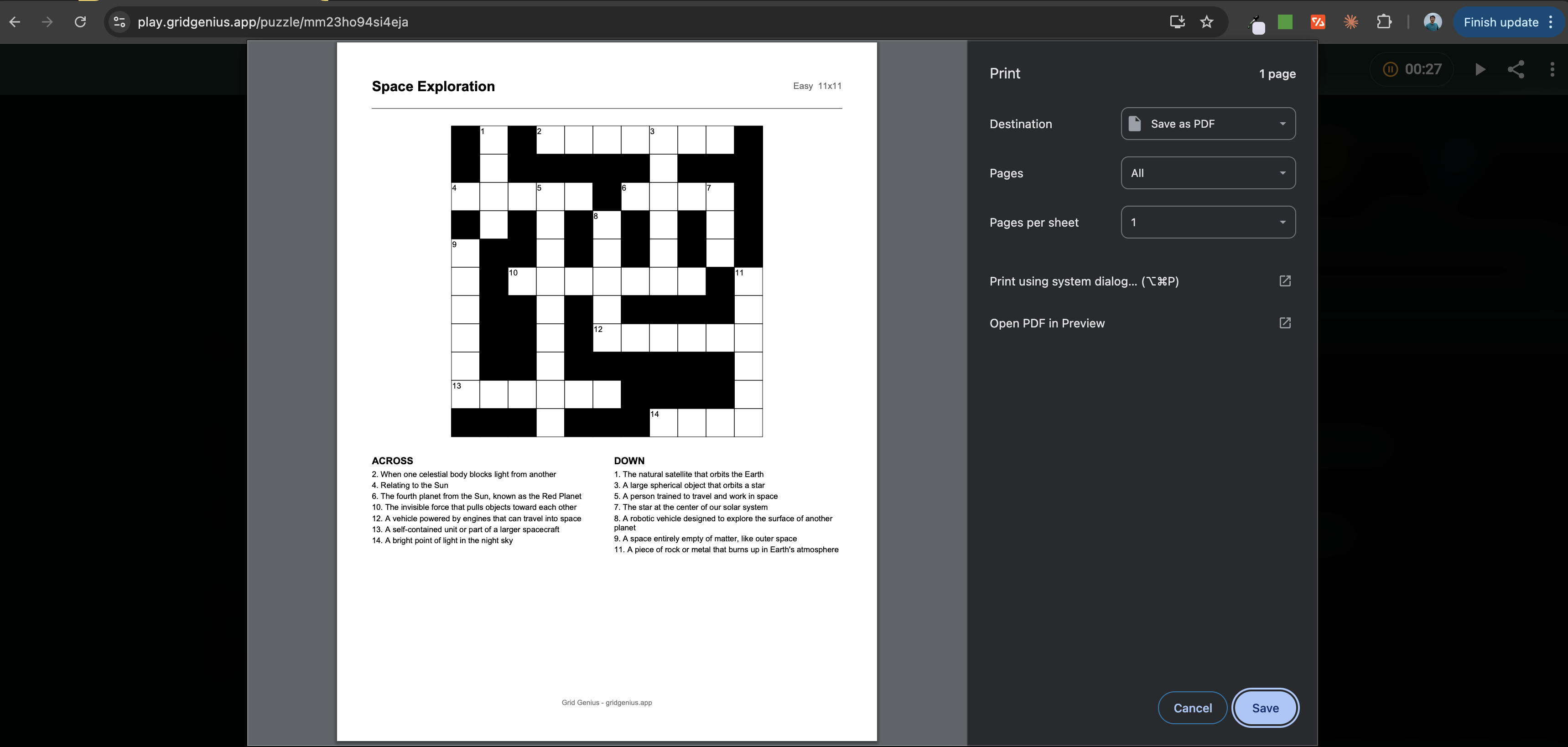
Tap "Print / PDF" and a print preview opens with your formatted puzzle. From here you can:
- Print directly to any connected printer
- Save as PDF using your browser or system print dialog
- Adjust paper size (A4, Letter, etc.)
What's in the PDF?
The exported PDF is designed to look like a newspaper crossword:
- Numbered grid with correctly placed black cells
- Two-column clue layout — Across and Down clues side by side
- Puzzle title and metadata — topic, difficulty, size
- Clean typography optimized for print
Everything fits on a single page for standard and mini puzzles. Large puzzles may span two pages to keep the clues readable.
Tips for the Best Print Experience
- Use "Save as PDF" if you want to keep a digital copy or email it
- Print daily puzzles to build a physical collection you can revisit
- Try different sizes — Mini puzzles are great for quick coffee-break prints
- Share the PDF with friends who don't have the app yet — it's a great way to introduce them to Grid Genius
Who Prints Crossword Puzzles?
Printing crosswords is more popular than you might think. Here are the most common use cases:
Teachers and tutors. Printed crosswords make excellent vocabulary review sheets, warm-up activities, and end-of-unit assessments. Teachers can create custom puzzles using the Word List Builder with their own terms and definitions, then print a class set in seconds. No screens, no logins, no distractions — just pencils and thinking. Learn more in our crossword puzzle maker for teachers guide.
Seniors and care facilities. Many older adults prefer paper puzzles over screens. Printed crosswords are a staple in retirement communities, assisted living centers, and adult day programs because they promote cognitive engagement without requiring any technology skills. Staff can print fresh puzzles daily and leave them in common areas. See our full guide on crossword puzzles for seniors.
Travelers. Flights, train rides, and road trips are prime crossword-solving time — and they often come with limited or no Wi-Fi. Printing a few puzzles before a trip means you have entertainment that never needs charging and works in airplane mode. Print a mix of difficulties — easy for when you are tired, hard for when you want a challenge — and tuck them into a book or carry-on pocket for instant access.
Event planners and party hosts. Custom crosswords make memorable party activities, wedding reception games, and corporate icebreakers. Print a puzzle themed around the guest of honor, the company, or the occasion and place copies at each table. Read more about custom crosswords for events.
Parents. A printed crossword keeps kids engaged during restaurant waits, car rides, and rainy afternoons. Choose an age-appropriate topic and difficulty, print it out, and hand over a pencil. It is screen-free entertainment that also builds vocabulary. For younger kids, mini puzzles with simple topics work best. Older kids can handle standard-size grids on topics they are studying in school.
Care facilities and hospitals. Occupational therapists and activity coordinators use printed crosswords as cognitive exercises for patients recovering from strokes, brain injuries, or surgery. The puzzles provide gentle mental stimulation in a familiar, non-intimidating format. Staff can print themed puzzles weekly and rotate topics to keep things fresh.
Print vs. Digital Solving
Both formats have their strengths. Here is how they compare:
Advantages of print:
- Zero screen time — great for digital detox or screen-fatigued solvers
- No battery or Wi-Fi required
- Easy to share with anyone, no account needed
- Tactile satisfaction of pencil on paper
- Can be archived, framed, or collected
Advantages of digital:
- AI-powered hints — stuck on a clue? Tap for a nudge without revealing the answer. This is a digital-only feature that print puzzles cannot replicate.
- Automatic progress tracking and statistics
- Timer and streak tracking for daily challenges
- Instant access to thousands of puzzles without printing
- Undo mistakes without eraser marks
The best approach? Use both. Solve daily challenges digitally to track your streak and stats, then print puzzles for flights, classrooms, events, and the pure joy of pencil-and-paper solving. Many Grid Genius players keep a digital streak going during the week and print weekend puzzles to solve with their morning coffee — the best of both worlds.
For a collection of puzzles ready to print right now, check out our free printable crossword puzzles.
Available for Everyone
PDF export is a free feature — no subscription required. Every player can print any puzzle they have access to, whether it's a daily challenge or a custom AI-generated puzzle.
Create a Puzzle to PrintReady to print your first puzzle?
Generate a crossword on any topic, then export it as a PDF in two taps.
Start Playing FreeReady to play?
AI-generated crossword puzzles on any topic — with smart AI hints that help you think, not just give away answers. Free to play, no sign-up required.
Start Playing Free