Crossword Puzzles for Homeschoolers: A Flexible Learning Tool
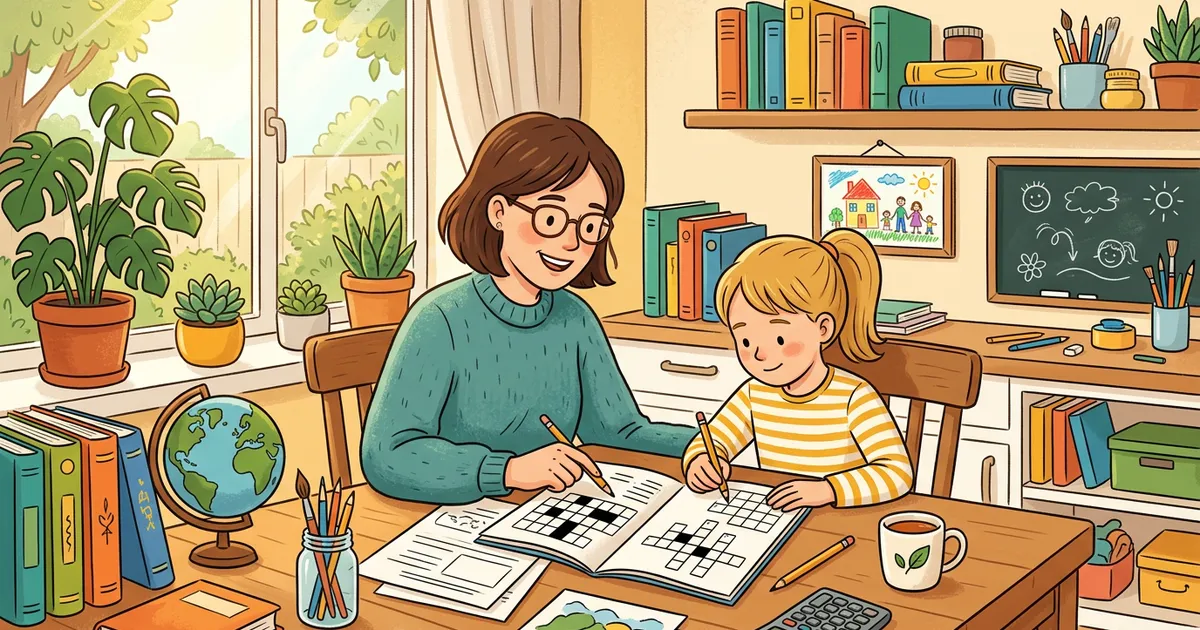
Homeschooling gives you the freedom to choose the best tools for your child's learning style. Crossword puzzles are one of the most versatile tools in a homeschooler's toolkit — they work for any subject, any grade level, and any curriculum, and they turn vocabulary drill into a game kids actually want to do.
Here's how to use them effectively.
Why Crosswords Work for Homeschooling
They fit any curriculum
Whether you use Charlotte Mason, Classical, Montessori, unschooling, or a structured textbook curriculum, crosswords adapt. The Word List Builder lets you enter vocabulary from whatever materials you're using — your words, your clues, your curriculum.
They're self-checking
Crossing letters provide built-in error detection. If a child spells RECIEVE and the crossing letter doesn't match, they know something's wrong without you having to mark it. This develops self-correction habits.
They exercise active recall
Reading a vocabulary list is passive. Solving a crossword clue requires retrieving the word from memory — active recall, which research shows is significantly more effective for long-term retention.
They reduce "school" resistance
Many homeschooled kids resist worksheet-style activities. Crosswords feel like puzzles, not schoolwork. The same vocabulary review that gets groans as a worksheet gets enthusiasm as a crossword.
They work for multiple children
Create one crossword and all your kids solve it — at different paces, independently. Great for families with children at similar levels, or for homeschool co-ops.
Subject-by-Subject Guide
Language Arts / English
Spelling words: Enter the week's spelling list into the Word List Builder. Clues can be definitions, sentences with blanks, or phonetic hints.
Vocabulary: Pull words from current reading assignments. Clues reference the book: "In Chapter 3, the castle was described as this (meaning 'gloomy')" → DREARY.
Grammar: Parts of speech, punctuation terms, sentence structure vocabulary. "A word that modifies a noun" → ADJECTIVE.
Literature: After finishing a book, create a crossword about characters, settings, themes, and plot points. It's a creative book report alternative.
Mathematics
Terminology: Numerator, denominator, quotient, polygon, perpendicular, algorithm, variable.
Word problems: "If you buy 3 items at $4 each, the ___ is $12" → TOTAL.
Geometry: Shape names, angle types, measurement vocabulary.
Science
Life science: Photosynthesis, mitosis, ecosystem, vertebrate, organism.
Physical science: Molecule, friction, gravity, acceleration, wavelength.
Earth science: Tectonic, erosion, mineral, fossil, atmosphere.
Or enter any science topic into Grid Genius AI and get a complete puzzle in 30 seconds — "Cell Biology," "The Water Cycle," "Simple Machines."
Try a Science CrosswordHistory / Social Studies
Ancient history: Pharaoh, democracy, gladiator, senate, aqueduct.
American history: Constitution, amendment, colony, revolution, manifest.
Geography: Continent, hemisphere, capital, peninsula, archipelago.
Try a History CrosswordForeign Languages
Enter vocabulary in the target language with English clues (or vice versa):
- "House (in Spanish)" → CASA
- "To eat (in French)" → MANGER
- "Friend (in German)" → FREUND
The Word List Builder works with any alphabet.
How to Create Homeschool Crosswords
Method 1: Word List Builder (5 minutes, free)
- Open gridgenius.app/create/word-list/
- Enter vocabulary from your current unit/chapter
- Write clues that match your child's level
- Choose grid size:
- Mini (7×7): Ages 6-8, or quick review (5-8 words)
- Standard (11×11): Ages 9-12, or comprehensive review (10-15 words)
- Large (15×15): Teens, or full unit assessment (15-25 words)
- Generate, then print or share a digital link
No account needed. Unlimited free puzzles.
Method 2: AI Generation (30 seconds)
Enter any topic — "7th Grade Life Science," "Ancient Rome," "Spanish Food Vocabulary" — and Grid Genius's AI generates a complete crossword with appropriate words, clues, and grid layout.
AI generation requires a Plus or Pro subscription, but it eliminates the manual word-list step entirely.
Method 3: Browse pre-made puzzles
Grid Genius has 50+ topic categories with ready-to-play puzzles. Browse by subject and difficulty — perfect when you need a quick activity without creating one yourself.
Create your first homeschool crossword
Enter your curriculum vocabulary, generate a puzzle, print or share — all free.
Open Word List Builder10 Ways to Use Crosswords in Your Homeschool
1. Monday vocabulary introduction
Start each week with a crossword of new vocabulary. Students encounter terms in puzzle form before formal instruction — building familiarity and curiosity.
2. Friday unit review
End the week with a crossword covering everything taught. It's more engaging than a traditional review worksheet and gives you a quick assessment of retention.
3. Spelling practice
The spelling list becomes the word list. Every letter must be correct for the grid to work — it's spelling practice with built-in self-checking.
4. Morning warm-up
A Mini crossword (5-8 words, 5 minutes) from yesterday's lesson gets kids mentally engaged before the day's learning begins.
5. Assessment alternative
Instead of a traditional test, use a crossword as a formative assessment. If they can complete it without notes, they've demonstrated mastery.
6. Co-op group activity
For homeschool co-ops: one parent creates a crossword, all kids solve it. Works in person (printed) or remotely (shared link).
7. Independent learning station
Print a stack of subject-specific crosswords as one of several learning stations. Students rotate through stations independently — crosswords require no supervision.
8. Reward activity
Finished the math lesson early? Grab a crossword on a fun topic — Video Games, Animals, Movies. Educational entertainment.
9. Summer learning
Prevent the "summer slide" with weekly crosswords reviewing the past year's material. Fun enough that kids don't realize they're studying.
10. Student-created puzzles
Older students create crosswords for younger siblings using the Word List Builder. Creating good clues requires deep understanding — it's Bloom's taxonomy at work.
Multi-Age Strategies
Homeschool families often have children at different levels. Crosswords adapt:
Same topic, different difficulty:
- Younger child: Mini (7×7) Easy with basic vocabulary
- Older child: Standard (11×11) Medium with advanced terms
- Both study the same subject but at appropriate challenge levels
Collaborative solving:
- Family crossword time: everyone contributes answers they know
- Younger kids handle the easy clues, older kids tackle the hard ones
- Parents participate too — it's bonding time disguised as education
Peer teaching:
- Older child creates a crossword for the younger child
- The process of selecting words and writing clues reinforces the older child's knowledge
- The younger child gets a personalized learning tool from someone they look up to
AI Hints for Independent Learners
When kids solve Grid Genius crosswords digitally and get stuck, the AI Hint system generates contextual clues that help them think rather than just revealing the answer. Instead of "the answer is PHOTOSYNTHESIS," the AI might say "Think about what plants use sunlight and water to create."
This is especially valuable for homeschoolers who often work independently — the AI acts like a patient tutor that scaffolds learning without doing the work for them.
Printing and Offline Use
Every crossword can be downloaded and printed as a newspaper-style image. This is great for:
- Screen-free learning time
- Homeschool co-op meetings without Wi-Fi
- Building a physical portfolio of completed work
- Laminating for dry-erase reuse (one puzzle, infinite practice)
Tracking Progress
Create crosswords at the start and end of each unit with the same vocabulary. Compare how quickly and accurately your child completes them. The improvement is visible and measurable — a simple but effective assessment method.
For more educational strategies, see our teacher crossword guide, ESL crossword guide, and kids crossword guide.
Start using crosswords in your homeschool
Free puzzle maker, any subject, any grade level. No account needed.
Create a PuzzleReady to play?
AI-generated crossword puzzles on any topic — with smart AI hints that help you think, not just give away answers. Free to play, no sign-up required.
Start Playing Free